Gas smart meter not working: issues and fixes
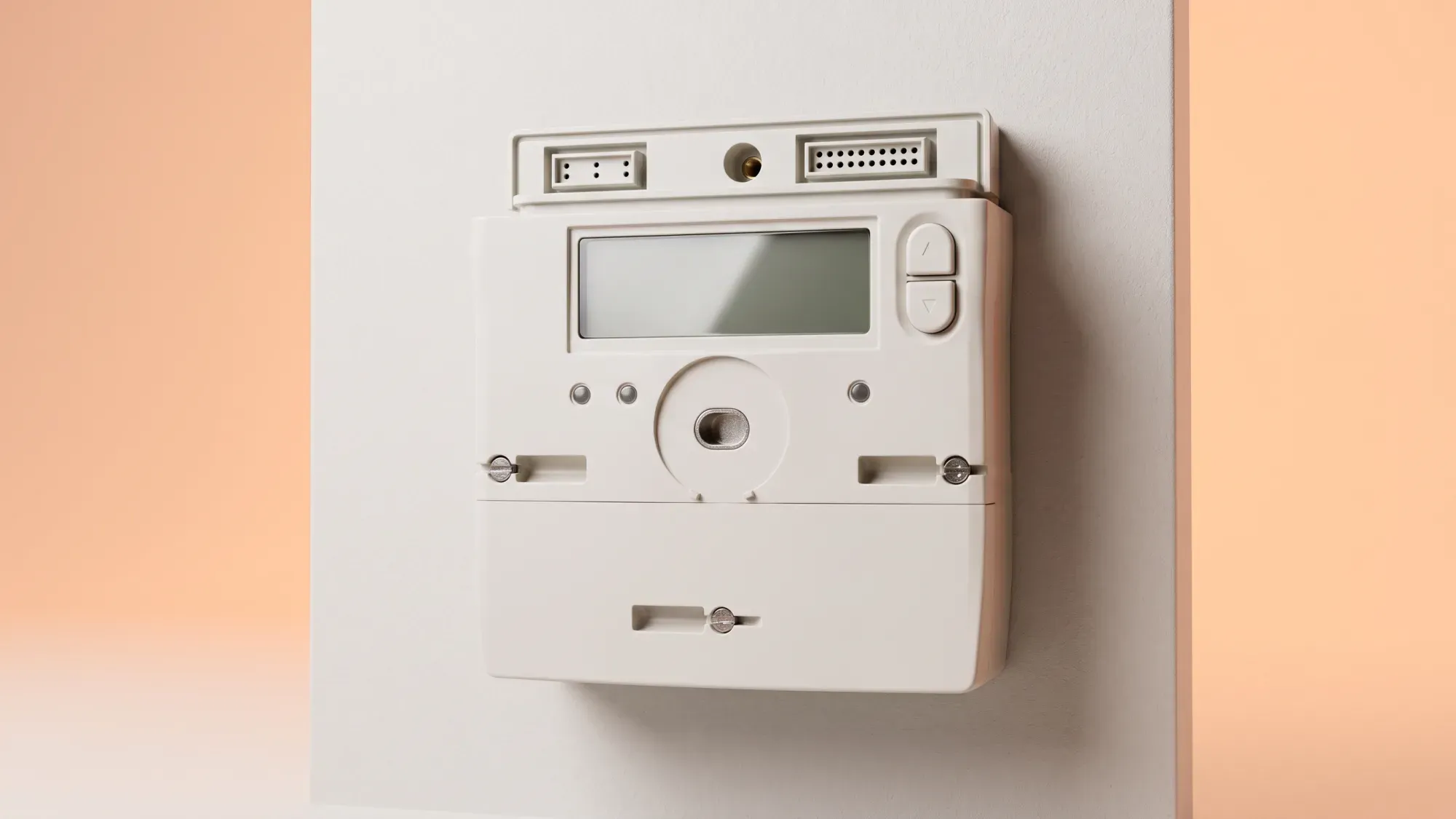
A non-working gas smart meter can be frustrating, but your gas supply is often unaffected. However, critical issues like a dead battery on an older SMETS1 meter can cut off your gas supply. This guide provides clear steps to diagnose problems and ensure accurate billing. When your gas smart meter isn't working as it should, having clear information about your energy usage is vital. Fuse Energy offers clear pricing and in-app usage data to help you manage your energy effectively. Click here to switch to Fuse Energy today.
Enter your address to get a quote and see how much you could save
Understanding your gas smart meter
Gas smart meters are a fundamental part of Britain's modern energy infrastructure, offering homeowners clear insights into their energy use and secure data communication.
How gas smart meters work
Unlike electricity meters, which draw power from the mains, gas smart meters run on an internal battery. This battery powers the meter's display and its ability to communicate. Gas meters measure volume (m³ or ft³) which is then converted to kilowatt-hours (kWh) for billing purposes. Smart meters send energy usage data to your energy supplier via the Data Communications Company (DCC) network. This secure national network facilitates the transmission of data, which supports accurate billing and provides insights into your energy consumption.
Common signs of a non-working meter
Common signs that your gas smart meter might not be working include a blank display, error messages, or a lack of readings being sent to your supplier. If your meter isn't sending accurate readings, it can lead to estimated billing, which might not reflect your actual usage.
Common gas smart meter problems and what they mean
Understanding the specific issue your gas smart meter is experiencing can help you diagnose the problem and decide on the next steps.
Blank display: power-saving vs dead battery
A blank display on your gas smart meter doesn't always mean it's faulty. Many smart meters have a power-saving mode where the display turns off to conserve battery life. Pressing a button on the meter should reactivate the display. If the display remains blank after pressing buttons, it could indicate a more serious issue, such as a completely dead battery.
SMETS1 meters and gas supply cut-off
This is a critical distinction: gas smart meters are battery-powered and not connected to the mains electricity supply. A fully dead battery on an SMETS1 gas meter will cut off the gas supply due to a safety valve. This is a deliberate safety mechanism, not a fault, and means you will have no gas until the meter is exchanged. The battery in a gas meter is not a user- or engineer-replaceable part; a dead battery requires a full meter exchange.
Connectivity issues (OFFLINE/CONNECTING)
Your smart meter communicates energy usage data to your supplier via the DCC network. If your meter displays "OFFLINE" or "CONNECTING", it indicates a communication problem. This means your meter isn't sending readings automatically, which can lead to estimated bills. Connectivity issues don't typically affect your gas supply, but they do impact billing accuracy.
Inaccurate readings or no readings
If your meter is showing readings that seem incorrect, or if your supplier is consistently receiving no readings (leading to estimated bills), there might be an internal fault or a communication breakdown. While your gas supply usually remains unaffected, resolving this is crucial for accurate billing.
Troubleshooting your gas smart meter
Before contacting your energy supplier, there are a few basic checks and troubleshooting steps you can perform.
Basic checks you can perform
First, check the meter's display for any messages or indicators. If the display is blank, try pressing any button to see if it wakes up from power-saving mode. Make a note of any error codes or symbols displayed, as this information will be useful if you need to contact your supplier.
What to do if your electricity smart meter is also affected
If both your gas and electricity smart meters are experiencing issues, it might point to a broader communication problem at your property, possibly related to the communications hub (which is usually part of the electricity meter). Note down the status of both meters when you contact your supplier.
When to contact your energy supplier
If basic troubleshooting doesn't resolve the issue, or if you suspect a more serious problem like a dead SMETS1 gas meter battery cutting off your supply, it's time to contact your energy supplier.
Preparing for the call
Before you call, gather as much information as possible:
- Your account number and address.
- The type of meter you have (SMETS1 or SMETS2, if known).
- Any error messages or codes displayed on the meter.
- Details of troubleshooting steps you've already tried.
- Whether your gas supply is affected (e.g., no gas due to a dead SMETS1 battery).
This information will help your supplier diagnose the problem more quickly.
What to expect from your supplier
Your energy supplier will guide you through further diagnostic steps and, if necessary, arrange for an engineer to visit your property. They will use the information you provide to determine the best course of action, which could range from remote fixes to a full meter exchange. Remember, if your SMETS1 gas meter's battery has died, a full meter exchange will be required to restore your gas supply.
Emergency situations
For gas emergencies, such as smelling gas or suspecting a carbon monoxide leak, immediately call the National Gas Emergency Service on 0800 111 999. You should also turn off your Emergency Control Valve (ECV) if it's safe to do so, ventilate the area, and avoid electrical switches. Evacuate if necessary.
If your gas supply isn't working properly, or if you have a meter emergency such as a blank screen with no gas supply, you should contact your energy supplier directly. They have dedicated lines for service issues.
If you are unsure who your energy supplier is, you can use online tools to find out. For gas, you can search your postcode on the Find My Supplier website. For electricity, you'll first need to identify your network operator using the Energy Networks Association (ENA) postcode tool, then contact them to find your supplier.
Managing your energy bills should be clear and easy to understand. Fuse Energy focuses on straightforward pricing, so you can see exactly what you're paying without unnecessary complexity. If you have a smart meter, you can view detailed usage data through the app or website, helping you understand how you can lower your bills. If you don't have a smart meter, Fuse Energy can upgrade your non-smart meter, completely for free. This can make it easier to track spending and make informed decisions about your energy use. Our human support team is always on hand whenever you need help. Click here to switch to Fuse Energy today. Find out about our mission by clicking here.
Disclaimer
For the avoidance of doubt, this article is provided for informational purposes only and is not intended to constitute legal or financial advice. The author and/or Fuse Energy shall not be responsible for any losses arising out of any reliance on the information contained herein.