Aclara smart meter: understanding your energy usage
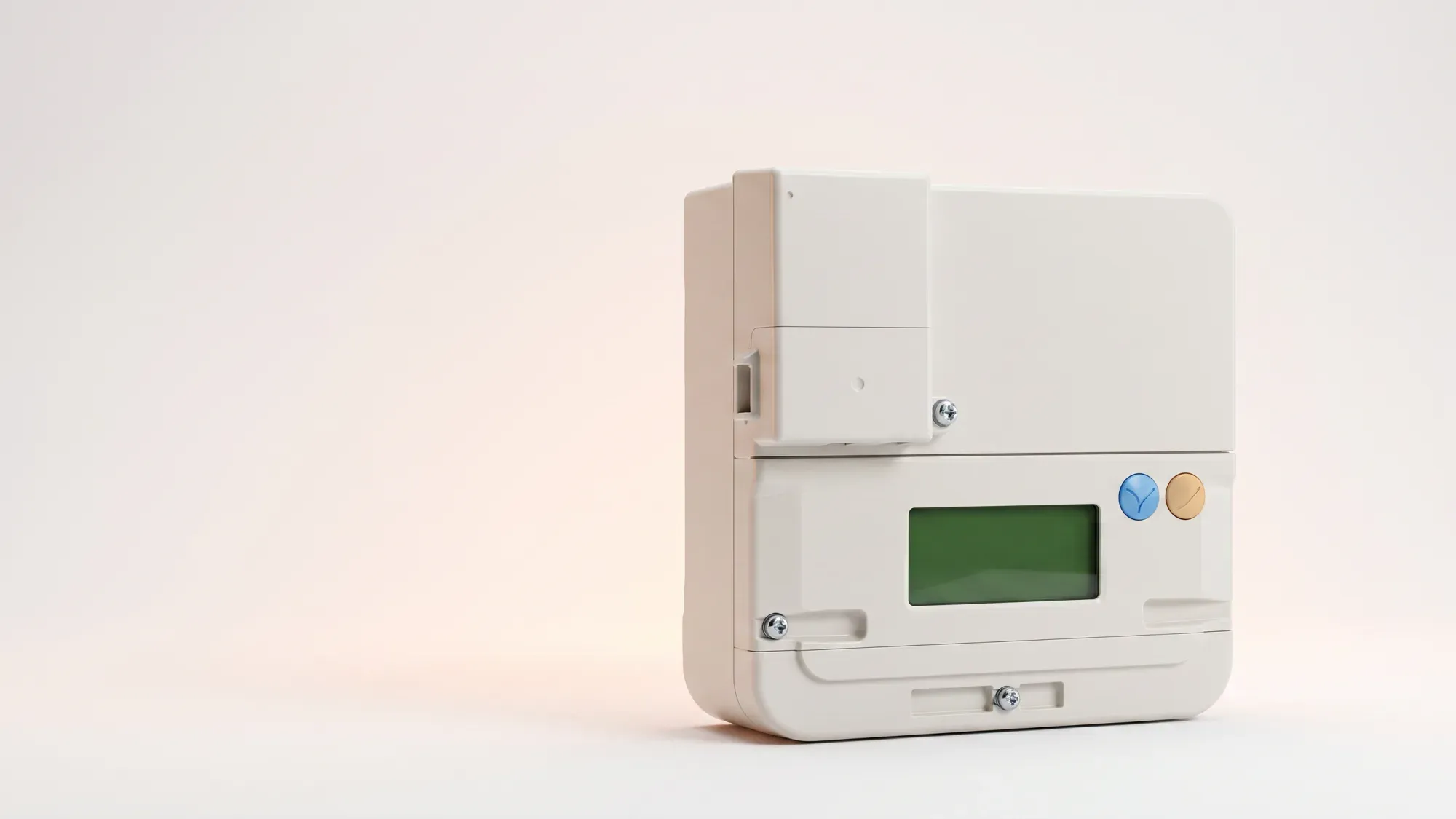
Aclara smart meters are a common sight in UK homes, designed to modernise how you track and manage your energy consumption. These devices automate meter readings and provide frequent data updates, helping you understand your electricity and gas usage more effectively. This guide offers practical advice to help you understand and troubleshoot common issues with your Aclara smart meter.
Understanding your Aclara smart meter can help you manage your energy more effectively. Fuse Energy offers clear pricing and in-app usage data to make the most of your smart meter. Click here to switch to Fuse Energy today.
Enter your address to get a quote and see how much you could save
What is an Aclara smart meter?
Aclara smart meters are widely deployed across the UK for both electricity and gas, playing a key role in the national smart metering rollout. These devices replace traditional meters, automatically sending your energy usage data to your supplier. This significantly reduces the need for estimated bills and helps ensure accurate billing, so you only pay for the energy you actually use. All energy suppliers in Great Britain are required to offer smart meters to their domestic customers.
The role of SMETS2 technology
Most Aclara smart meters installed today are SMETS2 compliant. SMETS2 stands for "Smart Metering Equipment Technical Specifications, second version" and represents the current standard for smart meters in Great Britain. This standard ensures interoperability between suppliers, meaning your smart meter should maintain its smart functionality even if you switch energy suppliers.
How smart meters communicate: the DCC network
SMETS2 smart meters communicate via the Data Communications Company (DCC) network. The DCC operates the national smart metering network, enabling secure communication between energy suppliers and SMETS smart meters. This secure network is vital for the automatic transmission of your energy usage data, enabling accurate billing and remote management by your supplier. You can learn more about this in our article on what the DCC is.
Identifying your Aclara smart meter model
Knowing your Aclara smart meter model can be helpful for troubleshooting or when speaking with your energy supplier. While Aclara manufactures various models, they generally share similar operational principles.
Common Aclara electricity meters
Aclara produces several electricity meter models for the UK market. For instance, the SGC 1311 is a common SMETS2 electricity meter. These meters typically display your electricity consumption in kilowatt-hours (kWh).
Common Aclara gas meters
Similarly, Aclara supplies gas meters that work in conjunction with their electricity meters, often communicating via the electricity meter's home area network. These meters measure gas consumption in cubic metres (m³). The SGM1312 is an example of a common Aclara gas meter.
Finding your meter serial number
Your meter serial number (MSN) is a unique identifier printed on the physical casing of your meter. For electricity meters, it's usually found near the barcode or display. For gas meters, it's also typically on the front face. This number is essential when contacting your energy supplier about specific meter issues. The MSN identifies the meter device, not the property or the supply itself.
How to read your Aclara smart meter
Reading your Aclara smart meter is straightforward once you understand how to navigate its display. The exact buttons and display cycles may vary slightly between models, but the core information remains consistent. For a more detailed guide, see our article on smart meter readings explained.
Navigating the display
Most Aclara smart meters have one or two buttons, often labelled 'A' and 'B' or with symbols like an arrow or 'OK'. Pressing these buttons cycles through different screens, showing information such as:
- Current reading: Your total electricity (kWh) or gas (m³) consumption.
- Tariff information: Details about your current energy tariff.
- Date and time: The current date and time.
- Meter serial number: Your unique meter identifier.
- Connectivity status: Indication of whether your meter is communicating with your supplier.
You may need to press a button multiple times to cycle through all the available information.
Understanding your readings (kWh and m³)
Electricity readings on Aclara smart meters are displayed in kilowatt-hours (kWh). This is the standard unit for measuring electricity consumption. Gas readings are typically shown in cubic metres (m³). Your energy supplier converts this volume into kWh for billing purposes using industry-standard factors. The average UK home uses around 2,500 kWh of electricity and 9,500 kWh of gas per year.
Troubleshooting common Aclara smart meter issues
Encountering an issue with your smart meter can be frustrating, but many common problems have simple explanations or troubleshooting steps.
Flashing lights and beeping sounds explained
A flashing red light on an Aclara smart electricity meter often indicates that electricity is being consumed, not necessarily a fault. The speed of the flash can sometimes correspond to the rate of consumption; a faster flash means more electricity is being used. Beeping sounds can indicate various things, such as a notification from your energy supplier. Consult your meter's manual or your supplier's guidance for specific interpretations.
Meter not connecting or offline
If your Aclara smart meter is not connecting or appears offline, it means it's not sending automatic readings to your supplier. This can happen for several reasons, including temporary network issues or a loss of signal. While your energy supply will typically continue uninterrupted, your bills might be estimated until connectivity is restored. Energy suppliers typically aim to resolve smart meter connectivity issues within 42 days, though this can vary.
Prepayment meter issues
If you have a smart prepayment meter and switch to Fuse Energy, your meter will be reverted to credit mode during the switch. This means Fuse does not support prepayment functionality, emergency credit, or top-ups. If you have concerns about your meter's mode, contact your energy supplier.
Resetting your Aclara smart meter
In most cases, you cannot manually reset your Aclara smart meter in the same way you might reset a home appliance. If you believe a reset is necessary due to a persistent issue, it's crucial to contact your energy supplier first. They can perform remote diagnostics or advise on the appropriate steps. Attempting to tamper with your meter can be dangerous and may lead to charges.
Maximising the benefits of your Aclara smart meter
Your Aclara smart meter offers more than just automatic readings; it's a tool to help you take control of your energy usage.
Accurate billing and usage tracking
With automatic data transmission, your smart meter ensures you receive accurate bills based on your actual consumption, eliminating estimated readings. This near real-time data allows you to track your energy usage more closely, helping you identify patterns and areas where you could save. Understanding your energy bill can help you make informed decisions about your usage.
Eligibility for smart tariffs
Smart meters unlock access to a wider range of tariffs, including dual-rate variable tariffs that offer cheaper electricity during off-peak hours. These tariffs can be particularly beneficial if you have an electric vehicle or other high-energy appliances you can run overnight.
Using your smart meter data for energy management
The data from your Aclara smart meter empowers you to make informed decisions about your energy consumption. By monitoring your usage, you can identify energy-intensive habits and adjust them to reduce your bills. Fuse Energy's app provides clear, in-app usage data, allowing customers to easily monitor their Aclara smart meter readings and understand their energy consumption.
When to contact your energy supplier
While this guide covers common issues, some problems require the expertise of your energy supplier.
Reporting faults and connectivity issues
If you've tried basic troubleshooting and your Aclara smart meter is still not functioning correctly, or if you have concerns about its connectivity, contact your energy supplier. They have the tools to diagnose issues remotely and dispatch engineers if necessary.
Understanding meter exchanges and upgrades
Your energy supplier is responsible for the installation, maintenance, and eventual replacement of your smart meter. If your meter is faulty, nearing the end of its life, or if you're upgrading to a different type of meter (e.g., from a traditional meter to a smart meter), your supplier will arrange the meter exchange. Fuse offers customer support to assist with smart meter queries and troubleshooting, ensuring customers get help when they need it.
Managing your energy bills should be clear and easy to understand. Fuse Energy focuses on straightforward pricing, so you can see exactly what you're paying without unnecessary complexity. If you have a smart meter, you can view detailed usage data through the app or website, helping you understand how you can lower your bills. If you don't have a smart meter, Fuse Energy can upgrade your non-smart meter, completely for free. This can make it easier to track spending and make informed decisions about your energy use. Our support team is always on hand with fast response times whenever you need help. Click here to switch to Fuse Energy today. Find out about our mission by clicking here.
Disclaimer
For the avoidance of doubt, this article is provided for informational purposes only and is not intended to constitute legal or financial advice. The author and/or Fuse Energy shall not be responsible for any losses arising out of any reliance on the information contained herein.